
Comparing models in Microsoft Foundry


I started dabbling with Microsoft Foundry lately, but it can be overwhelming to try to figure out which model to deploy.
When you navigate to Foundry Portal > Discover > View all models, you can see a list of all 182 models currently available.
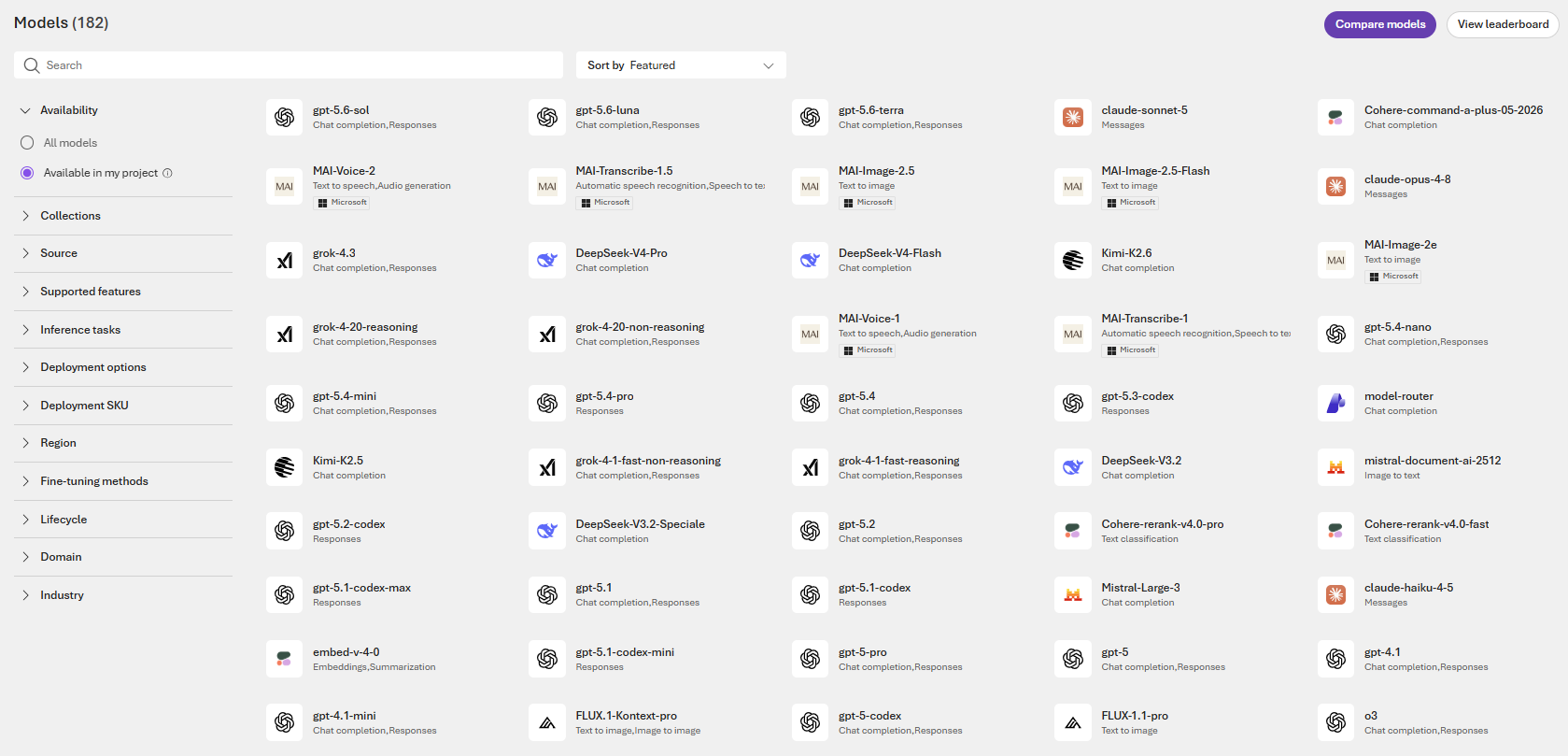
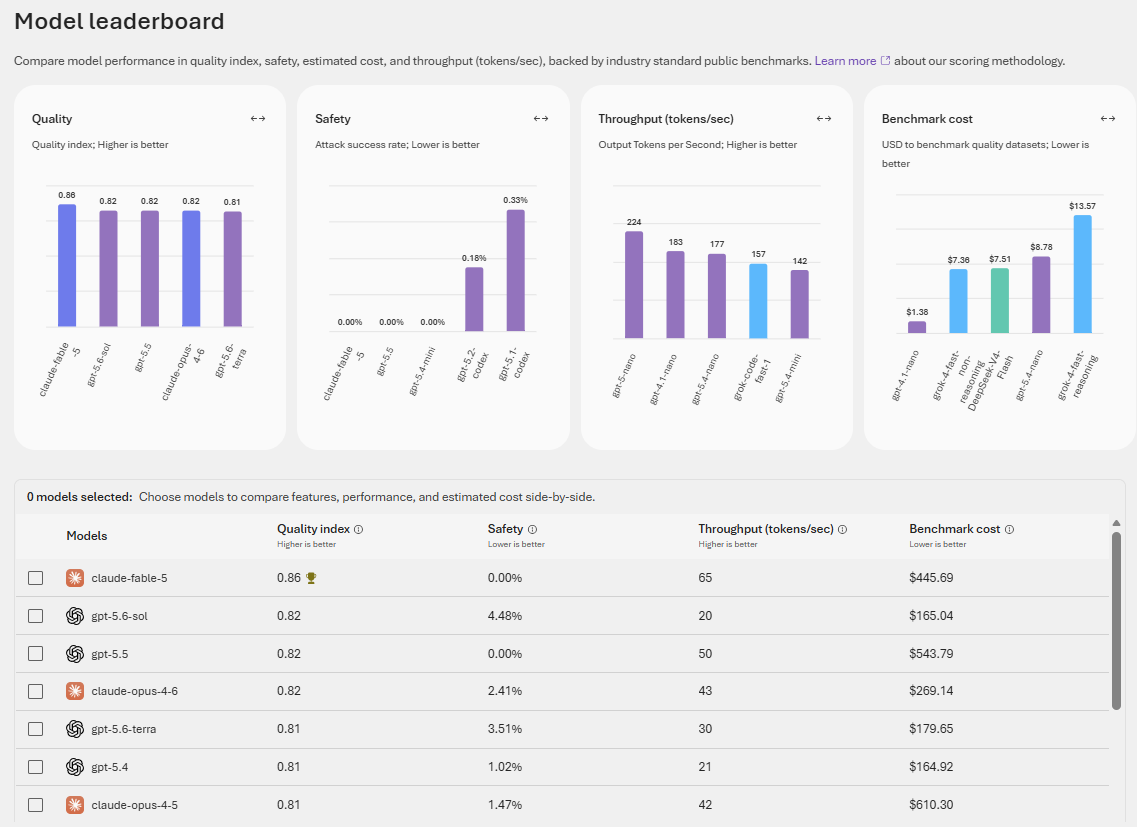
Clicking on the "View leadership" button (see screenshot above) takes you to this page, which is a model leadership page comparing various aspects of quality, safety, throughput, and cost. This was incredibly helpful.
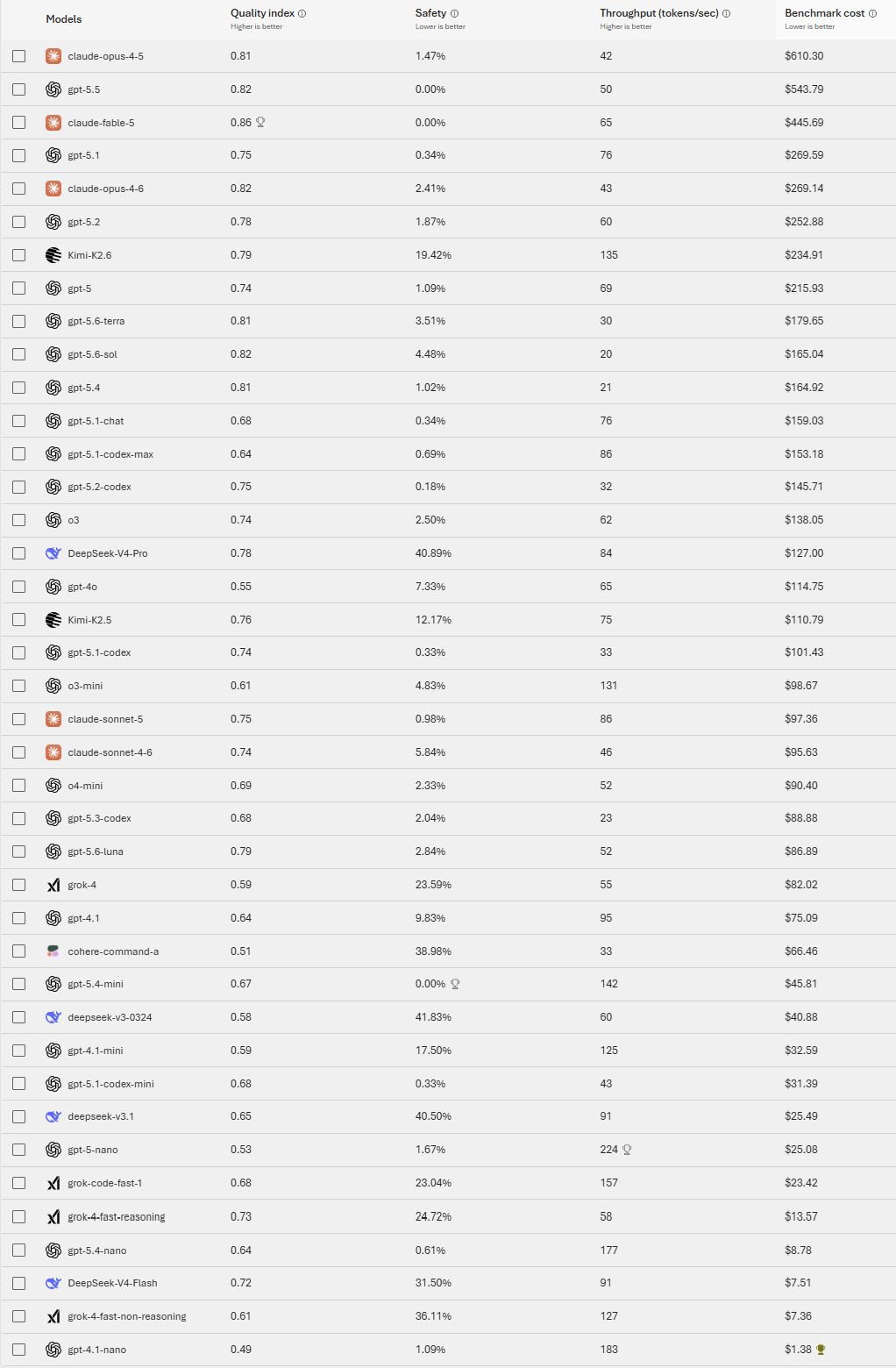
Scrolling down on the table to view the top forty, it was interesting to see the estimated benchmark cost comparison. Obviously, each model offers different strengths, but this is a good starting point so that you can consider deploying a model that is more on the cost effective side, particularly when experimenting or piloting.
Clicking on the "Compare models" button (see first screenshot), you are taken to a page and can do a more in-depth comparison of up to three model.
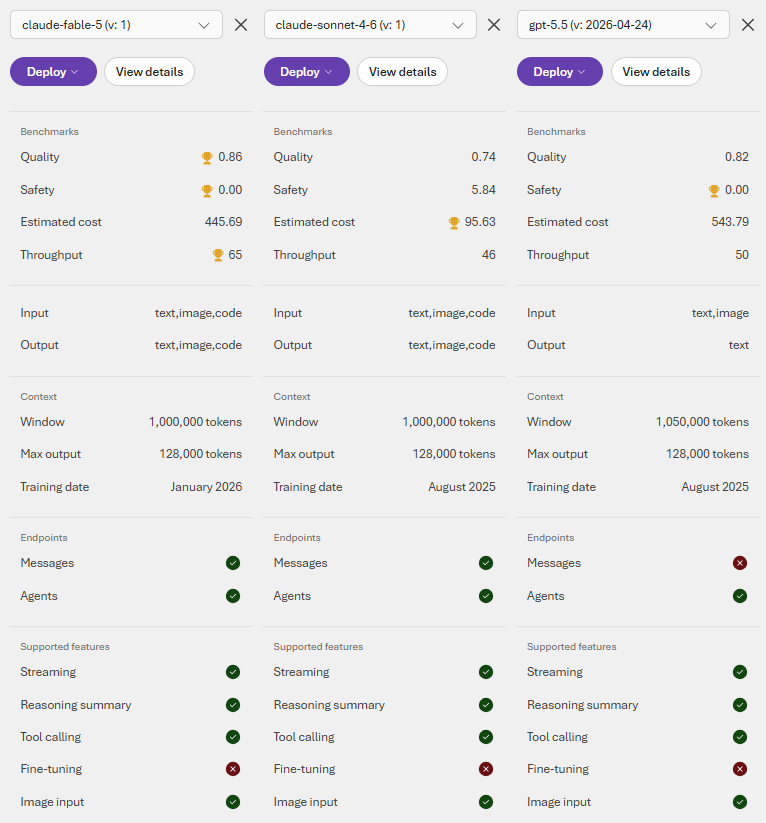
It would be even more helpful if Microsoft can provide more of a review of the models (such as pros, cons, strengths, best used for, not ideal for, etc.) but I understand why they can't do so. Nonetheless, this information is very helpful.